lab automation cell
- My contribution
- Built the robot server and Seyonic pipette driver. Wrote most of the HemWare desktop app, including its connection to the robot server.
- Robot server
- Flask server with HTTP endpoints, exclusive client access, a FIFO command queue, and per-device locks.
- Pipette driver
- Python interface to the vendor's .NET DLLs and TCP protocol, supporting device addressing, pressure and vacuum control, and pipetting-curve readout.
- Protocols
- JSON definitions for test setup, sequential and parallel steps, signal handlers, and tip policies. Supports dry-run validation and three liquid-level detection modes.
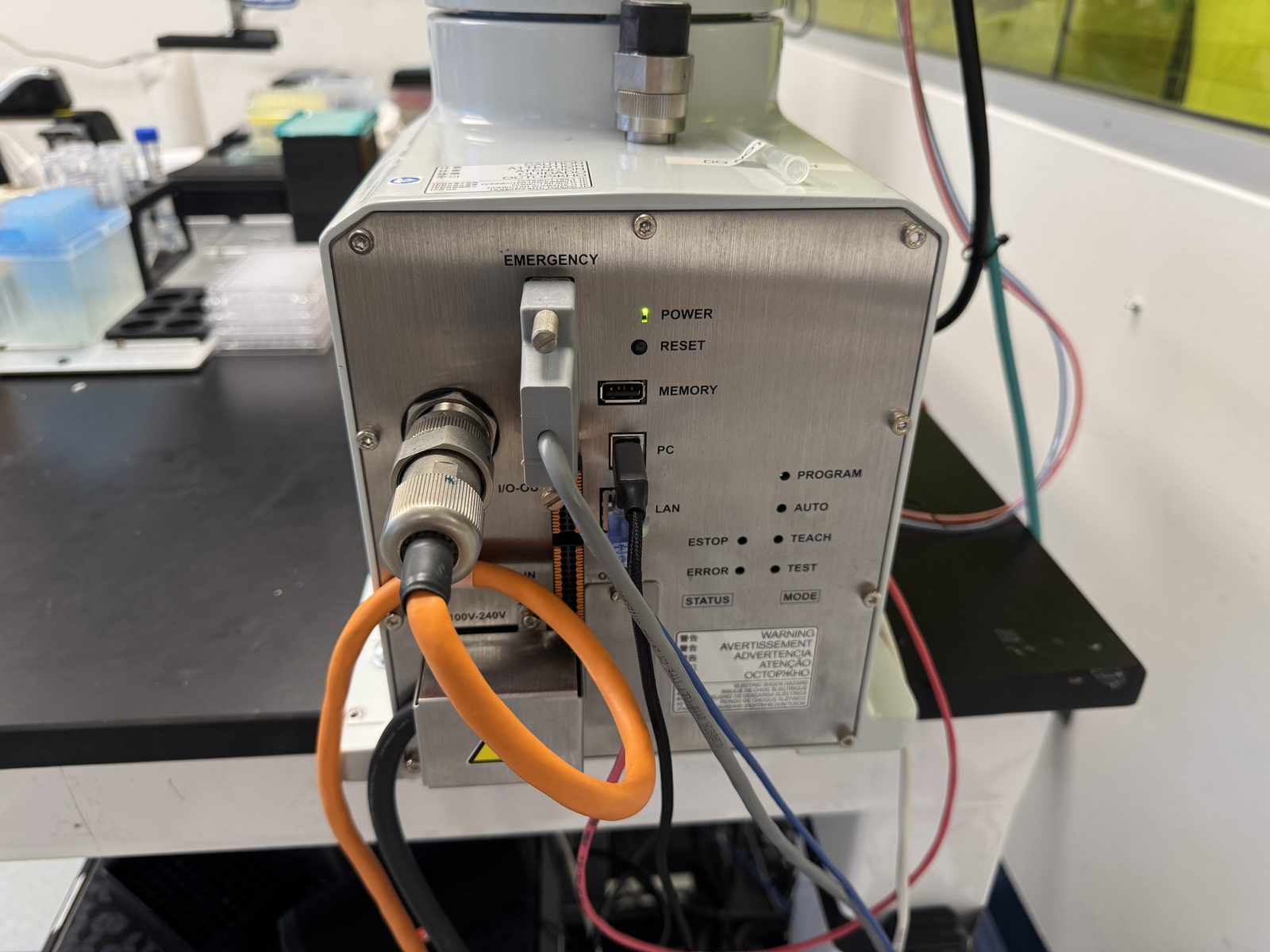
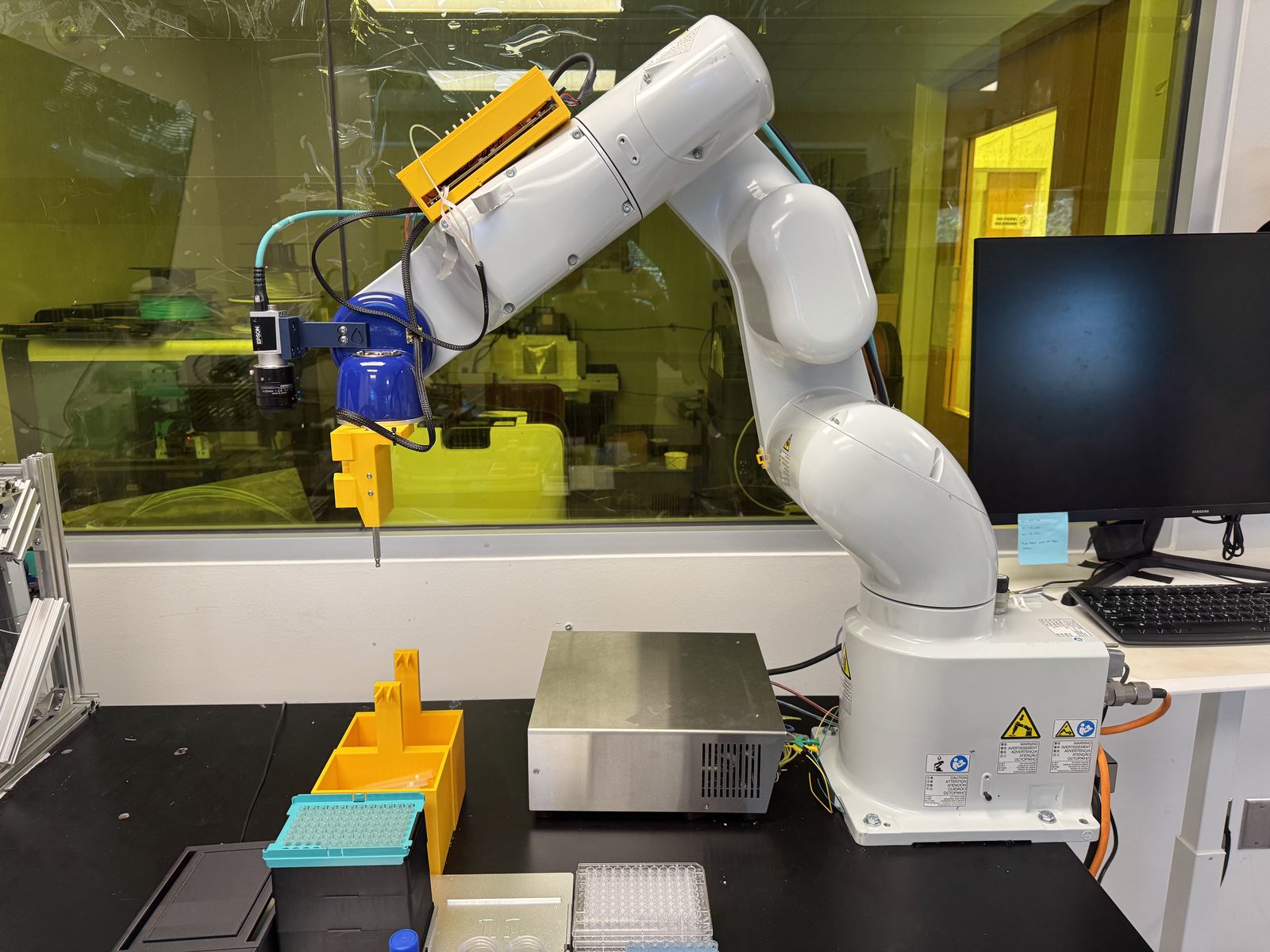
A biosensor test that used to take a technician most of a day at the bench can now run unattended after being started from HemWare. The system combines an Epson VT6-A901S arm, a Seyonic electronic pipette, and a HemBox reader.
I built the Python server that coordinates the equipment and the driver that controls the pipette. I also wrote most of HemWare, including the connection between the desktop app and the robot server.
Robot server
The Flask server receives HTTP requests from HemWare, communicates with the Epson RC70 runtime over TCP using SPEL+, and controls the Seyonic pipette.
Only one client can control the cell at a time, using a token to claim access. Commands pass through a single FIFO queue with per-device locks to prevent background operations from overlapping with a running protocol.
A second HTTP listener runs only while a protocol is armed. HemWare waits for the robot-side handlers to finish the current test step before continuing. Its progress display reports completed robot operations rather than estimating elapsed time.
Pipette driver
The Seyonic came with vendor .NET DLLs and a TCP protocol. I wrote a Python driver to control it through set, get, and trigger commands.
The driver supports board-and-channel addressing, pressure and vacuum control, and full pipetting-curve readout. It is included in the robot server as a local library.
Protocol format
Tests are defined in JSON. Each definition includes setup instructions, sequential steps, parallel groups with explicit dependencies, handlers for HemWare signals, and rules for tip use.
The steps call Python routines registered through a decorator. Dry-run mode validates the protocol before it sends commands to the equipment.
[
  { "device": "DECK",  "command": "clear_deck", "args": {} },
  { "device": "ROBOT", "command": "eject_tip",  "args": [] },
  { "device": "DECK",  "command": "load_labware", "args": {
      "name": "reagents", "slot": "1",
      "definition": "labware/opentrons_10_tuberack_falcon_4x50ml_6x15ml_conical.json" } },
  { "device": "DECK",  "command": "load_labware", "args": {
      "name": "COM4-HB-1000", "slot": "4",
      "definition": "labware/hememics_hembox_3_chip.json" } }
]
This excerpt shows part of the setup. The reader is loaded into deck slot 4 using the same command used for racks and other labware. The deck model tracks occupied slots and available tips.
The deck software and robot each maintain a tip count. Before picking up a tip, the server checks that the counts agree.
Liquid-level detection
The system supports three ways to detect when the needle reaches liquid: polling the pipette, using an asynchronous robot task, or monitoring the Seyonic detection signal through a digital input. Each mode has a maximum descent depth. The digital-input mode also performs a low-pressure check before descent.
An early production failure occurred because pressure and vacuum had not been primed before the first descent. The protocol setup now includes priming.
HemWare integration
HemWare controls the HemBox over serial, fits curves using a native C++ solver, and classifies each Dirac curve using a trained network running in worker threads. It also saves the run file for analysis.
The readers project covers the desktop application in more detail.
The authoring, acquisition, and analysis tools share a JSON file format:
.exp files define experiments, and .exprun files store acquired runs
for analysis. The server has an 86-test suite covering this shared format.